A Chrome extension for ChatGPT, Claude, Gemini & 13 more.
The prompts you keep retyping, finally somewhere they live.
Save it once. Press Ctrl+Shift+P (or type /) on any AI site. Drop the prompt in. That's the whole pitch.
No card. No trial. 20 prompts free, forever.
It's stupid simple.
-
1
Save once
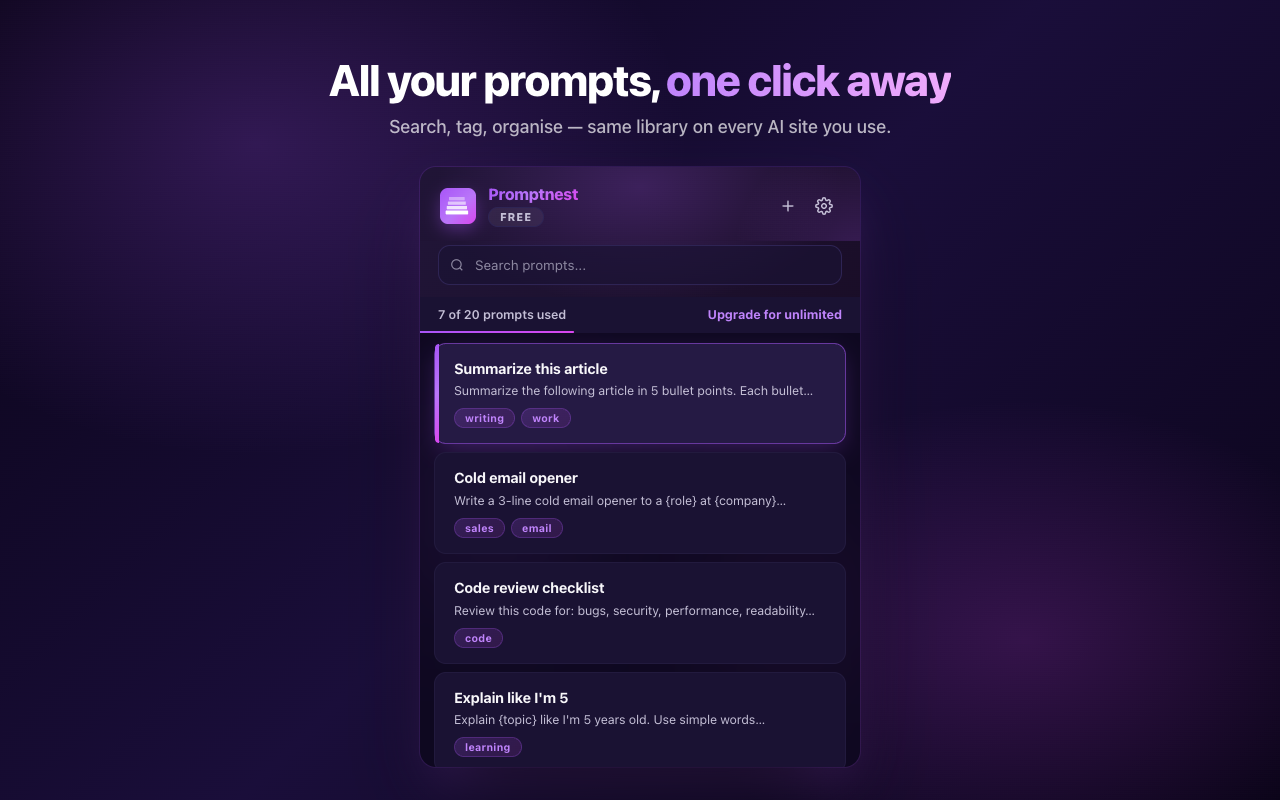
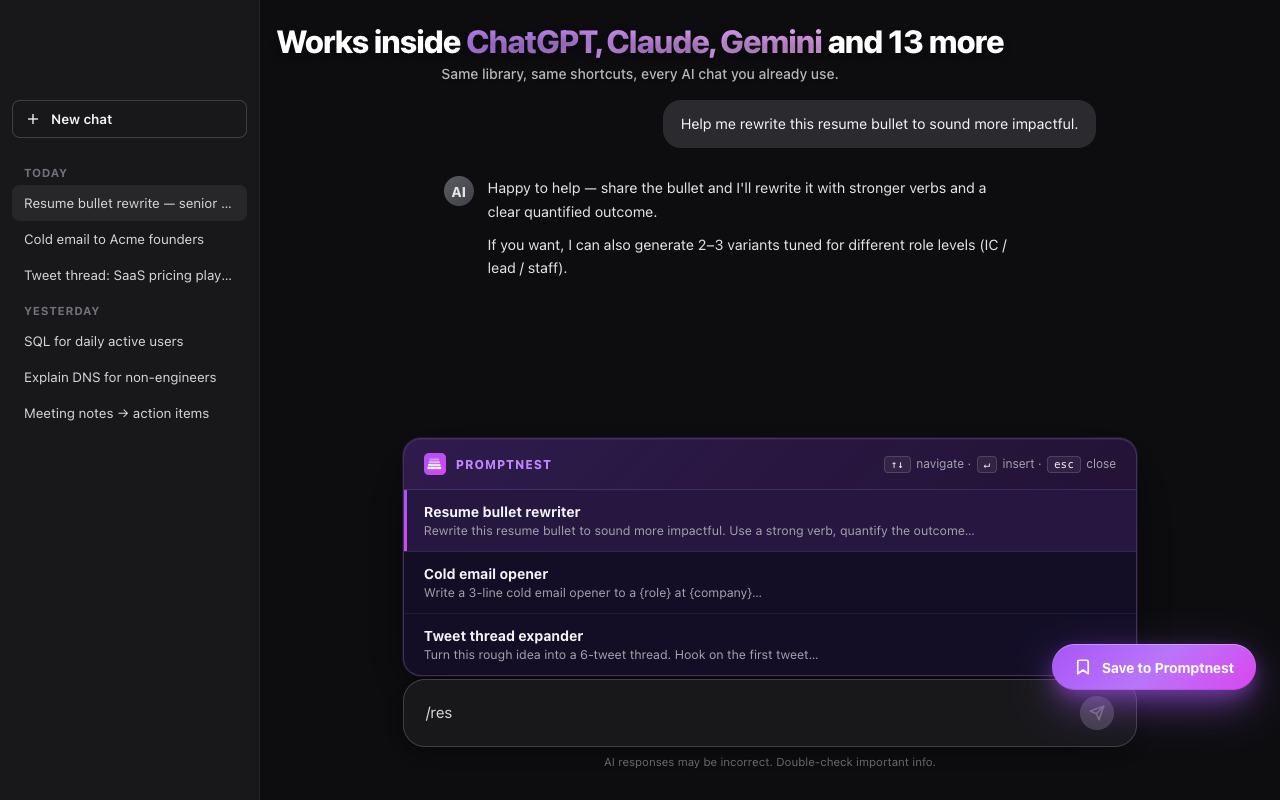
Tap the floating Save button on any AI site, or hit "+ New" in the popup. Title it, tag it, done.
-
2
Summon with a hotkey
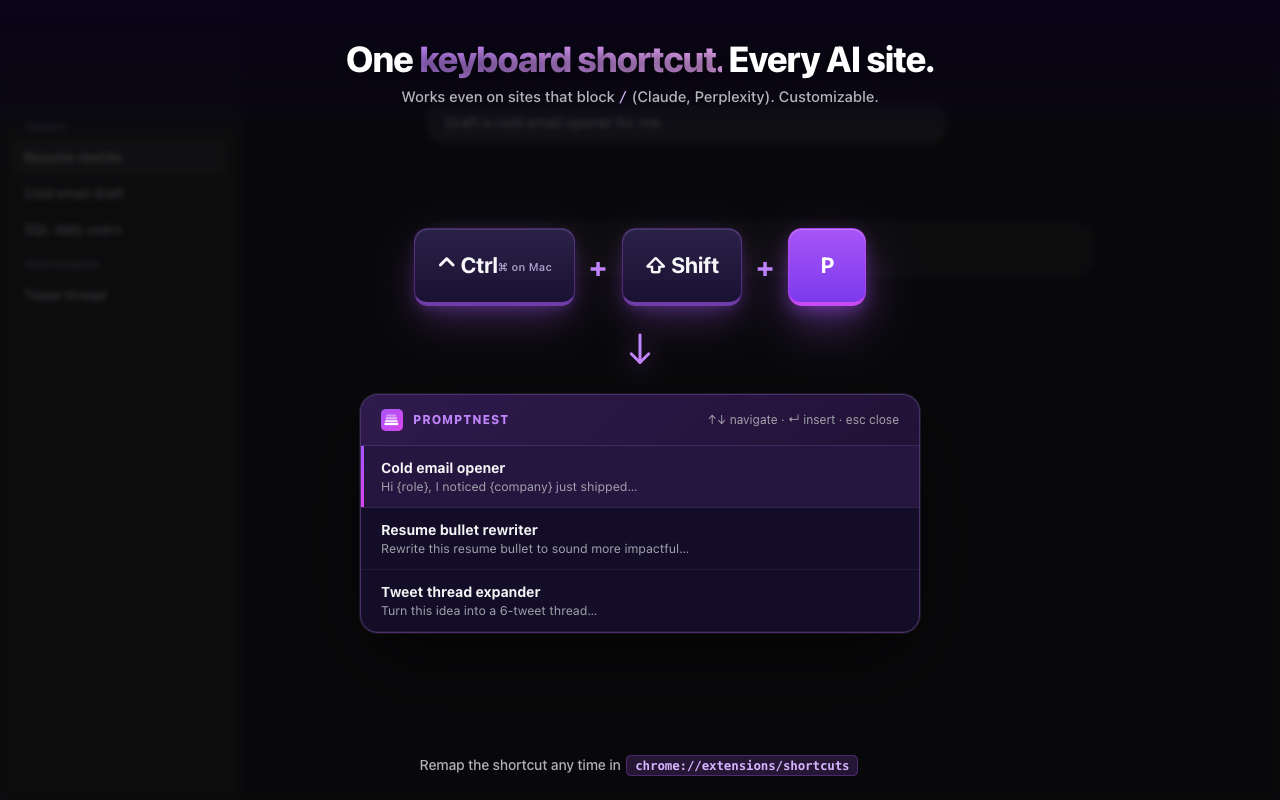
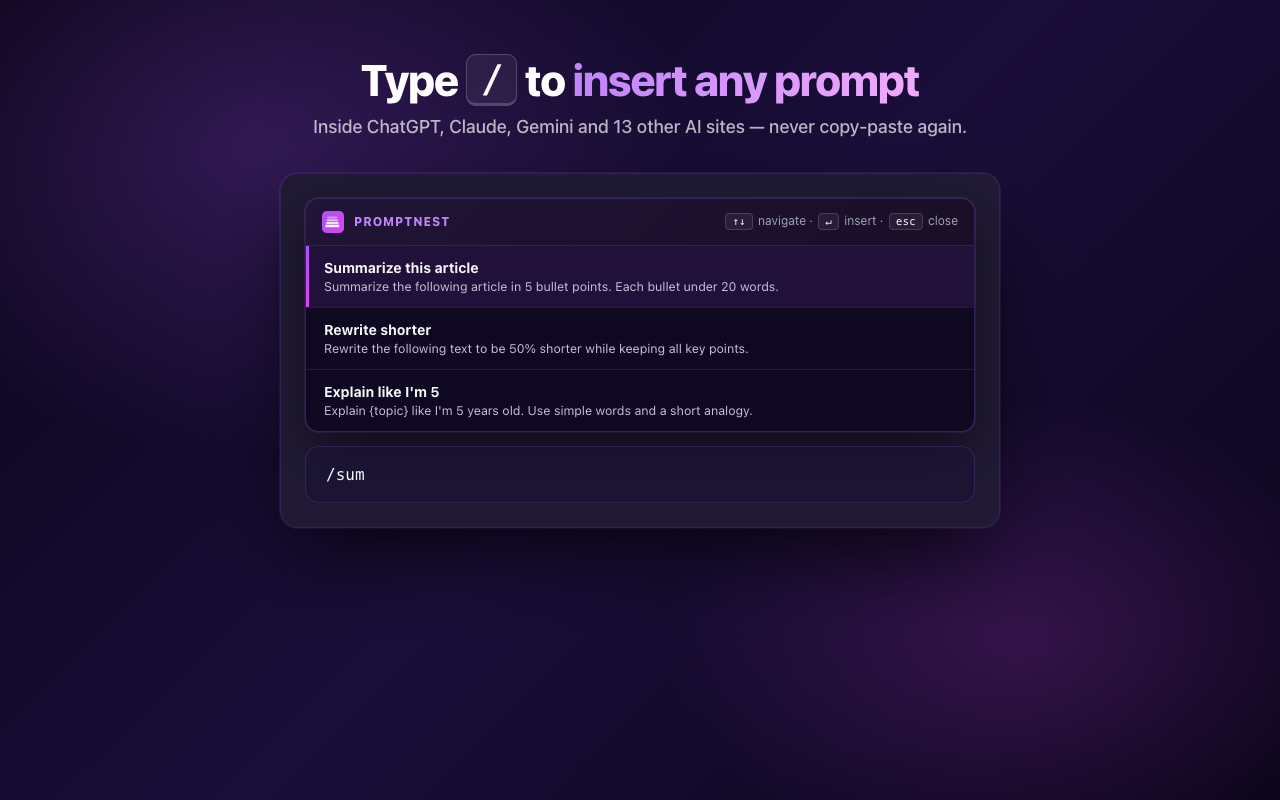
Press Ctrl+Shift+P on any AI site, or type / in the chat input. Your library appears, arrow keys navigate, Enter inserts. Works even on sites that block /.
-
3
Never lose it
Free = local browser. Pro = private cloud sync across every device (encrypted in transit and at rest). Either way, it's there tomorrow.
Works on the AI you already use
- ChatGPT
- Claude
- Gemini
- Perplexity
- DeepSeek
- Copilot
- Grok
- Mistral
- Pi
- Poe
- Phind
- You.com
- HuggingChat
- Bolt
- Lovable
- v0
This is what you'll actually see.
No mockups, no edits. These are the exact screens shipped on the Chrome Web Store.
Built for people who copy-paste the same prompts every day.
One hotkey, every AI site
Press Ctrl+Shift+P (or type /) in any chat. Library pops. Arrow keys to pick, Enter to drop it in. The hotkey works even on sites that block /.
Tags + instant search
Tag prompts however you think: by project, by tone, by vibe. Search runs across titles, content and tags in milliseconds, even at hundreds of prompts.
Same library, every device
Save on your home laptop at 2pm. Open Chrome on your work laptop at 9, and the same library is already there. Pro keeps everything in sync across every computer.
Send a prompt as a link
One click turns any prompt into a public URL. Send your best to a friend, post in a Slack, embed in a tutorial. Free for everyone.
Live, everywhere
Save a prompt and every open tab, popup, settings panel updates instantly. No close-and-reopen. The picker even glues itself to the chat input as you resize the window.
Encrypted. Private. Yours.
Cloud-stored prompts are protected by row-level security, so only you can read your own data. Encrypted in transit and at rest. We never read them. Never train on them. Never sell anything to anyone, ever.
Two plans. Pick the one that matches your scale.
No trials, no surprise fees. Cancel any time, keep every prompt.
Free
$0 forever
- 20 prompts
- Tags for organising
- Hotkey + / quick insert
- Share via public link
- Live updates across every open tab
- Local browser storage
Pro
$9.99 /month
- Unlimited prompts
- Cross-device cloud sync
- Auto-backup of all prompts
- 100 share links per day
The stuff people ask before signing up.
Which AI tools does it work with?
16 sites out of the box: ChatGPT, Claude, Gemini, Perplexity, DeepSeek, Microsoft Copilot, Grok, Mistral Le Chat, Pi, HuggingChat, Phind, You.com, Poe, Bolt.new, Lovable, and v0. If a site you use isn't on the list, ask via the support form and we'll consider adding it in the next release.
Where are my prompts stored?
Free plan: in your browser's local storage. Pro plan: stored in our cloud database with row-level security so only you can access your prompts. Encrypted in transit and at rest. We never read or train on your prompts.
Can I cancel anytime?
Yes. Cancel from your Polar account settings. You keep Pro access until the end of your paid period, then drop to Free.
What happens to my prompts if I cancel?
Your prompts stay forever. We never delete user data. After cancellation, all your existing prompts remain accessible (you can read, copy, share, edit, delete). You just can't add new prompts beyond the 20-prompt free cap until you resubscribe. Re-subscribe any time, even years later, and your full library comes right back.
What if my payment fails, do I lose Pro instantly?
No. Polar (our payment processor) automatically retries your payment over a 3–4 week grace window. During that time you keep full Pro access. If all retries fail, the subscription cancels and you drop to Free, but your prompts stay safe in the cloud.
I had 0/1/20 prompts on Free: what happens when I upgrade to Pro?
All your existing prompts (whether 0, 1, 20, or anywhere in between) get pushed to your cloud account on first sign-in after upgrading. Nothing is lost. From there, you can keep adding unlimited prompts.
I had 100 prompts on Pro, I downgrade: can I still see all 100?
Yes, on the device(s) you used while you were Pro. All 100 stay visible there, and you can read, copy, share, edit, or delete any of them. The cloud copy is preserved indefinitely either way. The one caveat: while on Free, cross-device sync pauses, so a brand-new device you sign into after downgrading won't pull the full 100 from the cloud until you re-subscribe. Re-subscribe and everything pulls back down.
How do I cancel?
Two ways: (a) open the Promptnest extension → Settings → "Manage subscription" → opens the Polar customer portal, or (b) visit the Polar customer portal directly via the link in your purchase receipt email. Cancellation takes effect at the end of your current paid period. Until then you keep full Pro access. We handle this through Polar's customer portal so you have direct control of your subscription, no email-the-team-and-wait friction.
Do you read or train on my prompts?
No. Your prompts are yours. We don't read them, train on them, or share them with anyone. Ever.
Is sharing free?
Yes. Both Free and Pro users can share prompts via public link. Free is capped at 5 share links per account, lifetime. Pro is 100 share links per day. Free's lifetime cap is monotonic: deleting an old share link doesn't free up a slot. Upgrade to Pro for 100/day.
Stop retyping. Start summoning.
Free forever for 20 prompts. No card, no trial. Add it to Chrome and it works on the AI you already use.
Add to Chrome, free